


Quick Switch Between Sources Samsung Odyssey G52A
05.12.2024
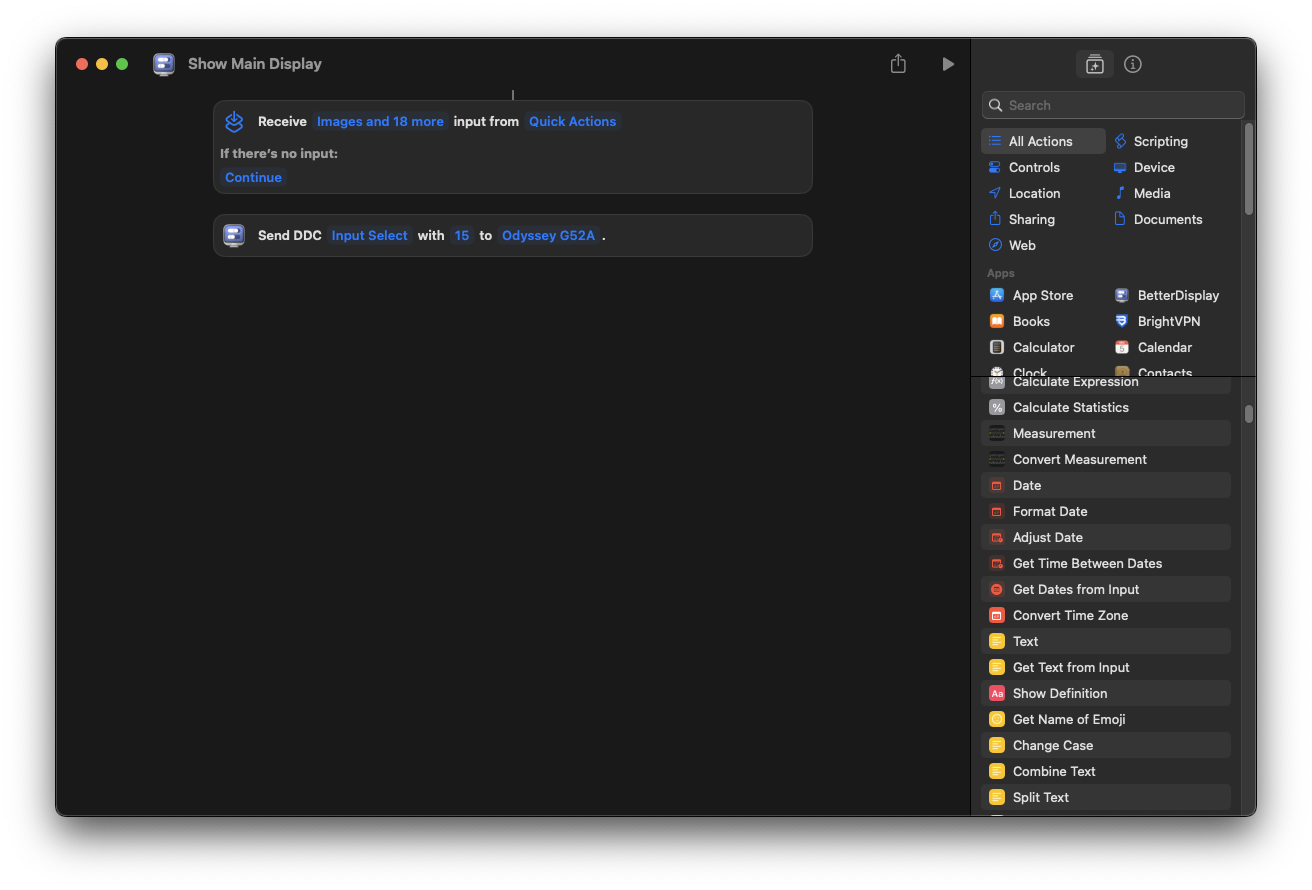
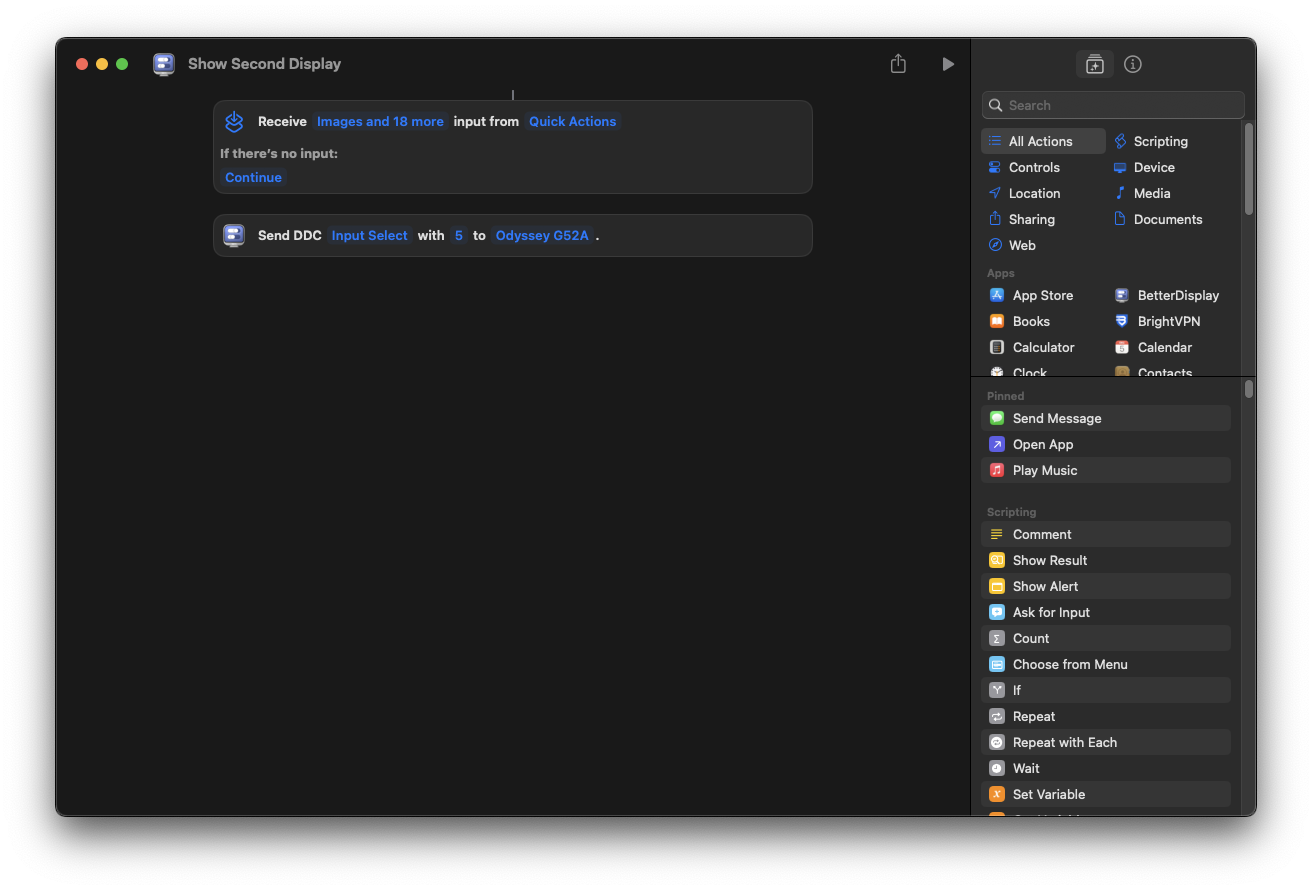
You can use macos shortcuts application for quick switching between Samsung Odyssey G52A sources:
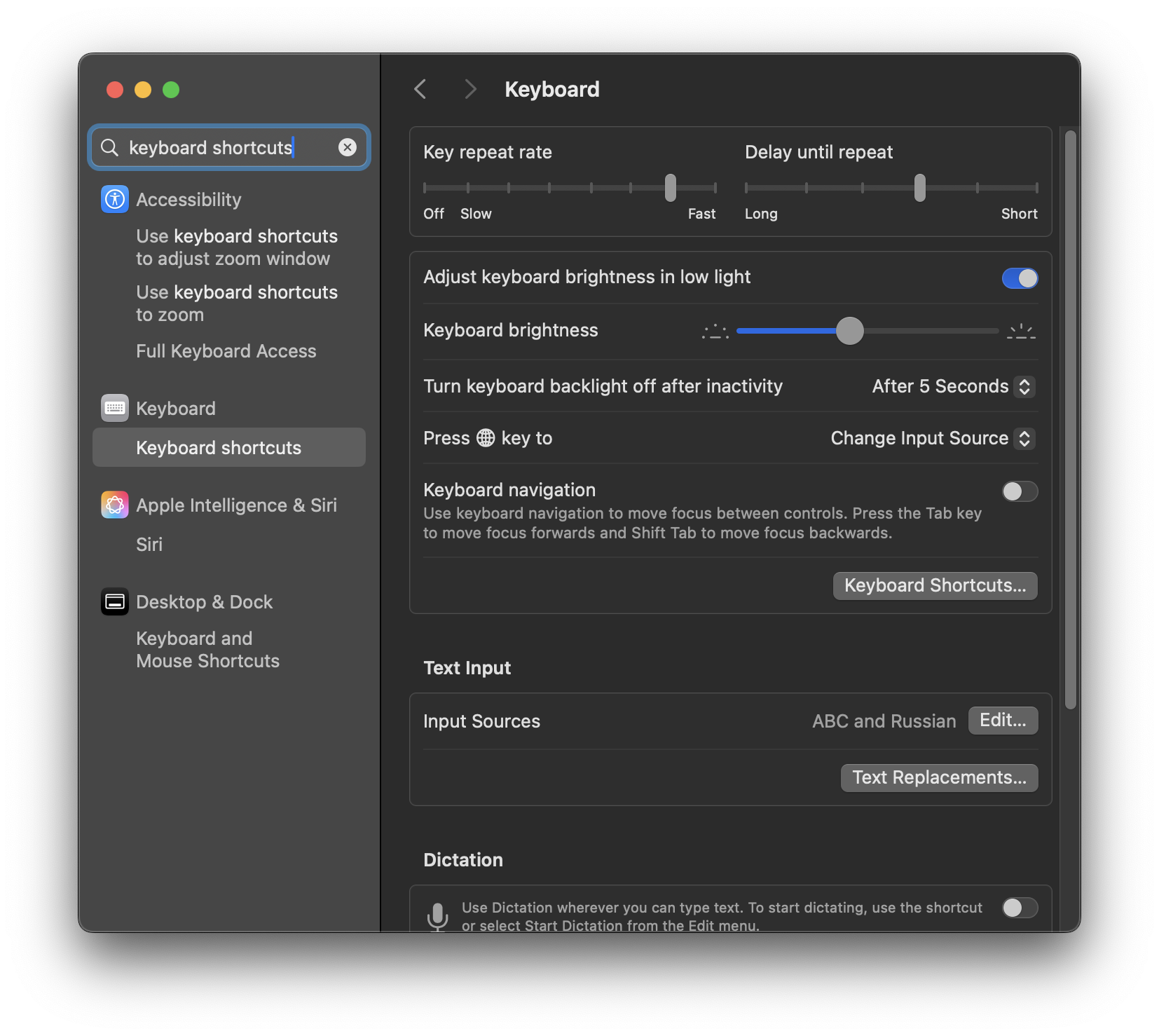
And you can also add new keyboard shortcut for these commands:
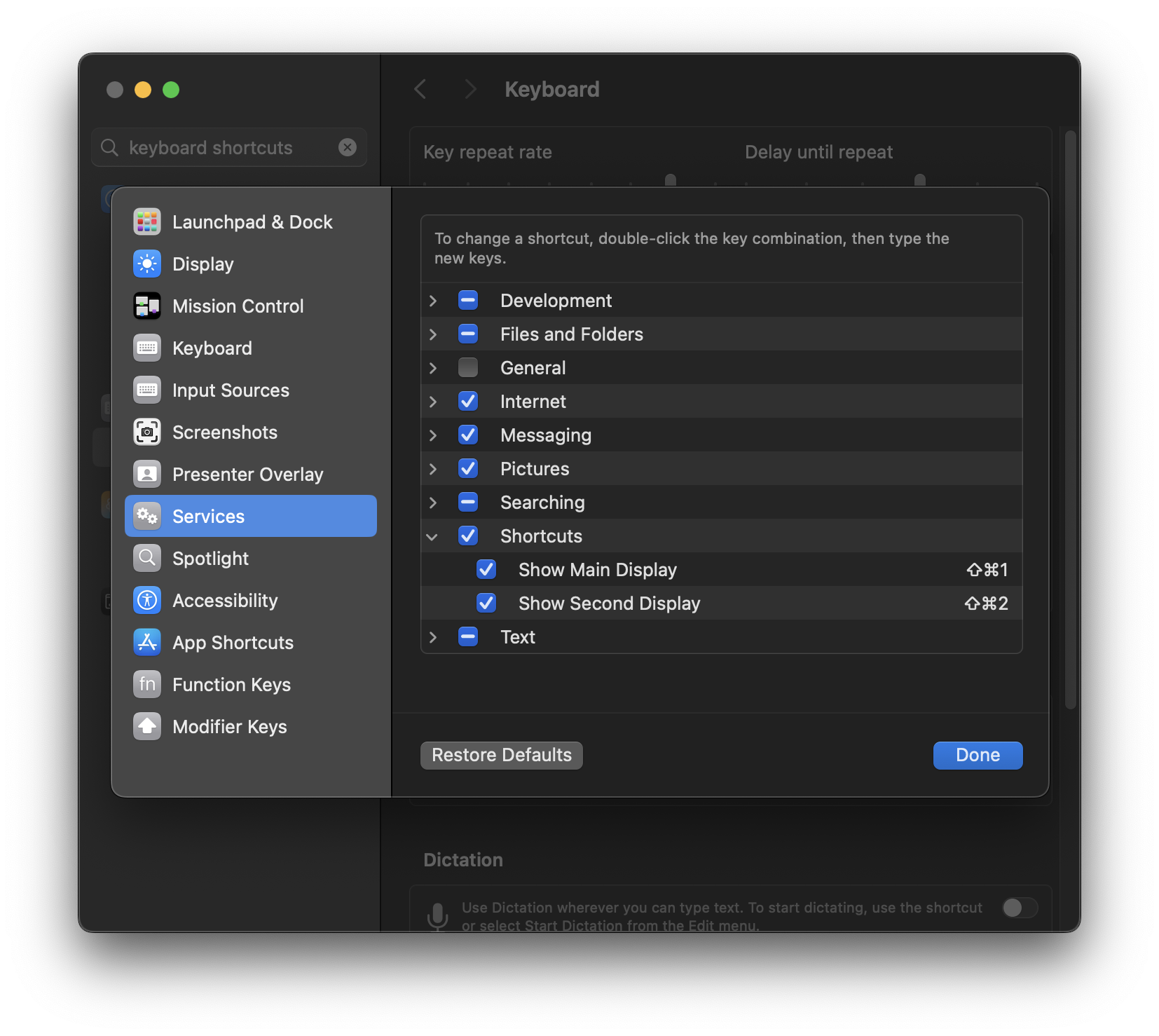
Now you can change monitor input source using keyboard shortcuts:
Shift+Cmd+1and
Shift+Cmd+2